IPTV subscriptions in the USA have emerged as a popular alternative to traditional cable and satellite television, offering access to thousands of live channels, on-demand content, and international programming through internet streaming. An IPTV subscription in the USA typically provides 4,000 to 40,000+ channels with pricing ranging from $8 to $50 per month, delivering HD and 4K content across multiple devices without the long-term contracts or high costs associated with conventional TV services. You can stream content on your Smart TV, Amazon Fire Stick, Android devices, tablets, and computers with most providers supporting simultaneous viewing on multiple screens.

Choosing the right IPTV service requires understanding how these platforms work, what features matter most for your viewing habits, and which providers deliver reliable performance without constant buffering or downtime. You need to evaluate channel selection, streaming quality, device compatibility, customer support responsiveness, and whether the service includes sports networks, premium channels, or international content that matches your preferences.
This guide walks you through everything you need to know about IPTV subscriptions in the USA, from technical fundamentals and top provider comparisons to installation processes, legal considerations, and security practices. You’ll discover how to identify quality services, avoid common pitfalls, and make an informed decision that fits your budget and entertainment needs.
What Is IPTV and How Does It Work?
IPTV delivers television programming through internet protocol networks rather than traditional broadcast methods. This technology converts video content into digital data packets transmitted over your broadband connection, enabling features like on-demand viewing and time-shifting that traditional cable cannot match.
Internet Protocol Television Overview
Internet Protocol Television (IPTV) transmits television content using the same packet-based delivery system that powers the internet. Your IPTV service breaks down video into small data packets at the source, sends them across IP networks, and your receiving device reassembles them into seamless video.
The technology uses three main transmission methods. Unicast sends content directly to individual users for personalized viewing. Multicast distributes live channels to multiple viewers simultaneously while conserving bandwidth. Broadcast reaches all users on a network segment at once.
Your device—whether a set-top box, smart TV, or streaming app—receives these packets through your internet connection. The system requires middleware software that manages authentication, content delivery, and service features. This software handles your electronic program guide, parental controls, and personalized recommendations behind the scenes.
IPTV requires stable broadband speeds of at least 25 Mbps for HD content and 50+ Mbps for multiple streams or 4K viewing. Wired Ethernet connections deliver better stability than Wi-Fi for optimal performance.
Types of IPTV Content: Live TV, VOD, Catch-Up TV
Live TV streams broadcast channels in real-time just like traditional television. You can watch news, sports, and scheduled programming as it airs, requiring 15-25 Mbps per stream for smooth playback.
Video on Demand (VOD) provides access to content libraries you can watch anytime. This model lets you browse movies, series, and documentaries without waiting for scheduled broadcast times. Most VOD services need 10-20 Mbps of bandwidth.
Catch-up TV offers programs that aired recently—typically within the last 7 days—even if you didn’t record them. This feature fills the gap between live television and full VOD libraries. You can also use start-over functionality to join live programs from the beginning after they’ve started, and time-shifting capabilities let you pause and rewind live broadcasts.
How IPTV Differs from Traditional Cable
Traditional cable sends all channels to your home simultaneously through dedicated coaxial infrastructure. You receive every channel whether you watch it or not. IPTV only transmits the specific content you request over your existing internet connection.
Cable requires physical infrastructure installations and service trucks for setup changes. IPTV works through your broadband connection using apps or set-top boxes, enabling faster activation and service modifications.
| Feature | IPTV | Traditional Cable |
|---|---|---|
| Delivery Method | Internet protocol networks | Coaxial cable infrastructure |
| Content Access | On-demand streaming available | Scheduled broadcasts only |
| Equipment | Set-top box or app-based | Cable box required |
| Interactivity | Pause, rewind, start-over live TV | Limited DVR functionality |
| Installation | Self-service through internet | Professional installation needed |
IPTV provides interactive features cable cannot offer. You can access multiple device types simultaneously, receive personalized recommendations, and enjoy integrated search across live and on-demand content.
Key Features of IPTV Subscription in USA
IPTV subscriptions deliver television content through internet protocols rather than traditional cable infrastructure. Service quality depends on channel availability, content libraries, streaming reliability, and navigation tools that make browsing easier.
Channel Lineup and Variety
Channel lineup determines what live TV channels you can access through your IPTV subscription. Most providers offer between 15,000 and 60,000 channels across multiple categories.
Standard channel variety includes sports networks, news outlets, entertainment programming, movie channels, kids content, and international broadcasts. You gain access to networks covering NFL, NBA, MLB, NHL, UFC, and soccer leagues alongside local news stations and premium entertainment channels.
International channel variety sets IPTV apart from cable television. Many services include channels from Europe, Asia, the Middle East, and Latin America, making them useful for viewers who want programming in multiple languages or from specific regions.
The number of channels matters less than whether your provider includes the specific networks you watch regularly. A service with 20,000 channels but missing your preferred sports networks provides less value than one with 10,000 channels that includes them.
On-Demand Library and Video-on-Demand
Video-on-demand (VOD) libraries let you stream movies and TV shows whenever you want rather than following broadcast schedules. VOD library size varies significantly between providers, ranging from 12,000 to over 220,000 titles.
Your VOD library typically includes:
- Recently released movies
- Popular TV series
- Classic films
- Documentaries
- Specialty programming
Most IPTV services update their VOD titles regularly, adding new releases and removing older content. The frequency of updates affects how current your available content remains.
VOD organization matters as much as quantity. Well-structured libraries use categories like genre, release year, and popularity ratings to help you find content quickly. Poor organization makes even large VOD libraries difficult to navigate.
Some providers also offer catch-up TV, allowing you to watch previously aired programming for a limited period after the original broadcast.
Streaming Quality and Uptime
Streaming quality directly affects your viewing experience. Most IPTV providers offer content in multiple resolutions including SD, HD streaming, and 4K streaming formats.
HD streaming requires approximately 20 Mbps internet speed, while 4K streaming needs around 40 Mbps for smooth playback. Some premium services also support UHD content for compatible displays.
Server stability determines whether streams load quickly and play without interruption. Reliable providers maintain 99.9% uptime by using high-capacity servers distributed across multiple locations.
Buffer-free streaming depends on three factors:
- Your internet connection speed
- Server performance during peak hours
- Distance between your location and streaming servers
Streaming performance often declines during major sporting events when many users access the same content simultaneously. Providers with strong server infrastructure maintain streaming stability even during high-traffic periods.
Server performance testing before purchase helps verify whether a provider delivers consistent quality. Many services offer trial periods specifically for this purpose.
Electronic Program Guide (EPG) and User Interface
An electronic program guide (EPG) displays channel schedules, show descriptions, and programming times in an organized format. EPG functionality makes browsing channels easier than scrolling through unorganized lists.
Quality EPG systems show:
- Current and upcoming programs
- Show descriptions and episode information
- Recording options (if supported)
- Search functionality by title or genre
User interface design affects how quickly you can find and start watching content. Clean interfaces with logical menu structures reduce the time spent searching for channels or VOD titles.
The best IPTV apps support EPG integration with services like IPTV Smarters and TiviMate. These applications display programming information directly within the channel browser, letting you see what’s playing without switching between screens.
User interface responsiveness also matters. Slow-loading menus or delayed button responses create frustration, especially when browsing large channel lineups or extensive VOD libraries.
Best IPTV Subscription Providers in the USA
The USA IPTV market includes services offering thousands of live channels, extensive VOD libraries, and multi-device compatibility. Premium providers focus on HD/4K quality and sports coverage, while niche and international options cater to specific viewing preferences.
Top-Rated IPTV Services and Their Channel Offerings
Nomad IPTV delivers over 20,000 live channels alongside 136,000+ movies and shows in its VOD library. The service includes AntiFreeze 10.0 technology for buffer-free streaming during peak hours. Pricing starts at $15 monthly, $60 for six months, or $100 annually with a 30-day money-back guarantee.
IMAX IPTV specializes in HD and 4K streaming optimized for Firestick users. You get anti-buffer technology and daily content updates across news, sports, entertainment, and international channels. The service supports all major streaming platforms including Smart TVs, Roku, Android, Windows, and iOS devices.
IPTV Smarters serves as a popular player application that works with multiple IPTV service providers. You can use it to organize channels, access EPG data, and manage your subscriptions across different devices.
| Provider | Live Channels | Key Features | Device Support |
|---|---|---|---|
| Nomad IPTV | 20,000+ | Buffer-free tech, massive VOD | Firestick, Smart TV, Android, iOS |
| IMAX IPTV | Extensive | HD/4K quality, daily updates | All major platforms |
| PearStream | Wide variety | Global coverage, stable servers | Multi-device |
Premium and Niche IPTV Providers
Xtreme HD IPTV focuses on high-definition streaming with specialized sports packages. You receive access to PPV events and premium sports channels that standard cable packages often exclude. The service maintains stable uptime with minimal buffering during live events.
Plevo IPTV targets users prioritizing reliability and premium content through optimized servers. You get thousands of channels with minimal crashes and consistent performance. Binge IPTV caters specifically to movie and series enthusiasts with its extensive VOD library combined with live TV channels.
iScreen HD IPTV emphasizes crystal-clear HD quality for sports streaming. The advanced streaming technology ensures you experience minimal buffering during critical game moments. Kemo IPTV and Krooz TV offer alternative premium options with competitive pricing structures.
DigitaLizard IPTV provides specialized content packages with flexible subscription terms. You can select specific channel bundles rather than purchasing comprehensive packages you won’t fully utilize.
International and Regional Channel Coverage
PearStream IPTV delivers strong international channel selections at budget-friendly prices. You access content from Europe, Asia, Latin America, and the Middle East through stable servers with low buffering rates. The service suits cord-cutters seeking global programming without expensive cable international packages.
Your IPTV specializes in regional USA content combined with international options. You receive local news stations, regional sports networks, and community channels alongside worldwide programming. This combination lets you maintain connections to local content while exploring international entertainment.
Most USA IPTV providers now include ethnic programming blocks covering Spanish, Arabic, Chinese, Korean, and South Asian content. You can find dedicated channels for news, entertainment, and religious programming in multiple languages. 4K IPTV Zone offers international content in ultra-high definition with enhanced streaming protocols.
Regional sports networks remain a priority for USA live IPTV services. You get access to local MLB, NBA, NHL, and NFL coverage that traditional streaming platforms often restrict based on geographic location.
Device Compatibility and Multi-Device Streaming
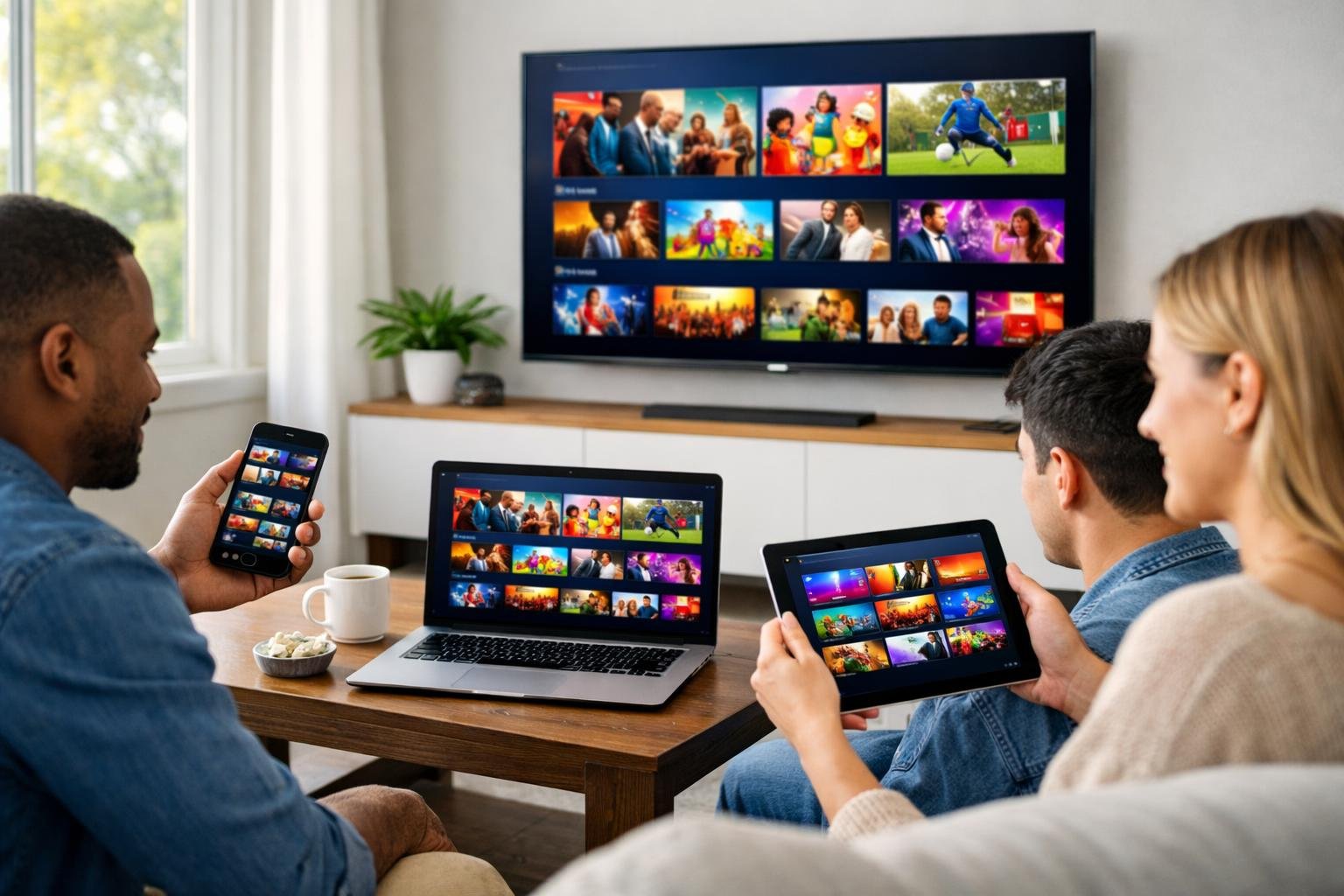
Most IPTV providers in the USA support streaming across multiple platforms, with many allowing 4-5 simultaneous streams per subscription. The key differences lie in setup complexity and performance across different device types.
Smart TVs and Set-Top Boxes
Android TV and Android TV Box devices offer native IPTV app support, making installation straightforward through direct APK downloads or app stores. You can typically install your IPTV service on Samsung, LG, and Sony smart TVs, though some require workarounds since not all providers maintain dedicated apps for every TV platform.
MAG boxes remain popular for IPTV streaming due to their dedicated hardware design. MAG Box 322 and MAG 410 models provide reliable performance with simple remote control navigation. These set-top boxes use a different protocol than standard streaming apps, so you’ll need to verify your provider supports MAG device compatibility before purchasing.
Smart TV compatibility varies by manufacturer and operating system. Some providers offer apps for specific platforms, while others require you to use external devices or screen mirroring to access content on your television.
Streaming Devices: Firestick, Roku, Apple TV
Amazon Fire TV and Firestick dominate the IPTV market due to their affordability and sideloading capabilities. You can install most IPTV apps on Firestick devices within minutes using the Downloader app or file transfer methods. Fire TV Stick 4K models handle streams up to 4K resolution with minimal buffering on stable connections.
Roku compatibility presents challenges since the platform restricts third-party IPTV apps. You’ll need to use workarounds like screen mirroring or private channel installations, which often provide inconsistent performance compared to other streaming devices.
Apple TV supports IPTV through apps available in the App Store or via third-party installations. The platform offers smooth streaming and high-quality output but requires providers that specifically develop iOS-compatible applications.
Mobile and Desktop Platforms
IPTV services work across smartphones, tablets, and computers through dedicated apps or web players. Android devices provide the most flexibility with unrestricted app installations, while iOS users must rely on App Store-approved applications or browser-based streaming.
Multi-device streaming allows you to watch different channels simultaneously on separate devices. Most providers limit concurrent connections to 2-5 streams depending on your subscription tier. You can typically stream on your phone while someone else watches on the TV without interference.
Desktop platforms support IPTV through Windows, macOS, and Linux applications. Web-based players offer convenience without downloads, though native apps generally provide better performance and features like catch-up TV and electronic program guides.
Subscription Plans, Pricing, and Payment Methods
IPTV providers typically offer multiple subscription tiers with varying durations and pricing structures, while payment processing and trial periods differ significantly between services. Understanding these options helps you select a plan that matches your budget and streaming needs.
Choosing the Right Subscription Plan
Most IPTV providers structure their pricing around subscription duration rather than channel packages. Monthly plans typically cost between $12 and $20, while three-month subscriptions range from $25 to $45. Six-month plans usually fall between $50 and $70, and annual subscriptions cost approximately $80 to $120.
Longer subscription plans offer better per-month value but require a larger upfront payment. If you’re testing a new provider, shorter plans minimize financial risk. Some services also offer multi-connection options that allow simultaneous streaming on multiple devices, which typically adds $5 to $15 to the base price depending on the number of connections.
The average monthly cost across top IPTV providers sits around $15.40 based on current market data. When comparing pricing plans, verify what’s included in each tier, as some providers charge extra for premium sports channels or 4K streaming quality.
Free Trials and Money-Back Guarantees
Many reputable IPTV providers offer trial periods ranging from 24 hours to 30 days. These trials allow you to test server stability, channel availability, and streaming quality before committing to a paid subscription. Some providers charge a small fee for trial access, typically between $1 and $3, while others offer completely free testing periods.
A money-back guarantee provides additional protection if the service doesn’t meet your expectations. Look for providers that offer at least a 7-day refund window after purchase. This policy is particularly important since IPTV performance can vary based on your internet connection, location, and device compatibility.
Available Payment Options
IPTV services typically accept multiple payment methods including credit cards, debit cards, and digital payment platforms. Some providers accept cryptocurrency payments for users who prefer additional privacy. PayPal is commonly accepted by established services, though some smaller providers may not offer this option.
Automatic renewal is standard for most IPTV subscriptions unless you manually disable it before the billing cycle ends. Review the provider’s cancellation policy before subscribing, as some services require advance notice to stop recurring charges. Avoid providers that only accept unusual payment methods or lack clear pricing information on their websites.
Legal Considerations and Streaming Security in the USA
IPTV technology is legal in the United States, but the specific service you choose determines whether your subscription complies with copyright laws. Understanding which providers hold proper licenses and recognizing security risks from unverified services protects you from legal issues and potential threats to your devices and personal information.
Legality of IPTV Services
IPTV as a delivery method is completely legal in the USA. Major streaming platforms like YouTube TV, Hulu + Live TV, Sling TV, and FuboTV all use IPTV technology to deliver content over the internet.
The legality of your IPTV subscription depends entirely on whether the service has obtained proper licensing agreements with content owners. Legal IPTV services pay for the rights to distribute channels, shows, and live events. They operate transparently with registered business entities, clear terms of service, and standard payment methods.
Illegal IPTV services distribute copyrighted content without permission from copyright holders. The Digital Millennium Copyright Act (DMCA) and the Protecting Lawful Streaming Act protect copyrighted streaming content in the USA. Operating an illegal IPTV service can result in federal felony charges with penalties up to 10 years in prison.
Individual users face lower prosecution risk than service operators, but you can still receive warnings from your internet service provider or face civil lawsuits from copyright holders. Commercial use of illegal IPTV services in bars or businesses increases your legal exposure significantly.
How to Choose a Legal IPTV Provider
A legal IPTV service in the USA operates with full transparency about its business and licensing. You should verify that the provider has a registered business address, accessible customer support, and clear privacy policies posted on their website.
Check for official apps in legitimate app stores like Google Play, Apple App Store, or Amazon Appstore. Legal providers accept standard payment methods including credit cards and PayPal rather than requiring cryptocurrency or gift cards exclusively.
Signs of a legitimate IPTV subscription:
- Published licensing information or content partnerships
- Pricing that reflects industry standards ($30-$80 monthly for comprehensive packages)
- Professional customer service with phone, email, or live chat support
- No requirement to use VPN services to access content
- Limited channel selection that aligns with actual licensing agreements
Services advertising thousands of international channels for $10-$15 per month typically lack proper licensing. Legal IPTV providers cannot offer every global channel and premium network at unrealistic prices because licensing costs make such offerings economically impossible.
Risks of Unverified IPTV Subscriptions
Unverified IPTV services pose significant security threats beyond legal concerns. These providers often distribute apps through unofficial channels that may contain malware, spyware, or viruses that compromise your devices and steal personal data.
Payment through unsecured systems exposes you to credit card fraud and identity theft. Many illegal IPTV operations collect payment information without proper encryption or data protection standards.
Common risks include:
- Device infection: Malicious code embedded in streaming apps
- Data breaches: Personal information sold to third parties
- Service interruptions: Frequent shutdowns when authorities target illegal operations
- ISP penalties: Warning notices, bandwidth throttling, or service termination
- Poor quality: Unstable streams, broken links, and no customer recourse
Your internet service provider can monitor your streaming activity and may throttle your connection or send copyright violation notices if you access pirated content. Some ISPs implement a warning system before taking action, but repeated violations can result in account suspension.
Legal IPTV services provide consistent quality, reliable customer support, and protection from these security and legal risks. The small price difference between legitimate and illegal services is rarely worth the exposure to malware, legal action, or loss of internet service.
Additional IPTV Features for US Viewers
Most IPTV subscriptions in the USA include features beyond basic live TV channels. Sports streaming capabilities, extensive on-demand libraries, and parental controls distinguish premium services from basic packages.
Sports, PPV Events, and Premium Content
Sports channels form a critical component of IPTV subscriptions in the USA. Major providers include ESPN, Fox Sports, CBS Sports, and NBC Sports in their base packages. You can access live games from the NFL, NBA, MLB, and NHL through these networks.
PPV events require separate purchases beyond your monthly subscription. Major boxing matches, UFC fights, and wrestling events typically cost $50 to $80 per event. Some IPTV services integrate PPV ordering directly into their interface, while others require separate provider accounts.
Premium sports channels like NFL RedZone, NBA TV, MLB Network, and NHL Network often appear in higher-tier packages or as add-ons. These channels cost an additional $10 to $15 per month. Regional sports networks (RSNs) broadcast local team games but have become increasingly difficult to access through IPTV services due to licensing disputes.
International sports coverage varies significantly between providers. Soccer fans need services that carry Premier League, La Liga, and Champions League matches. Some IPTV subscriptions include specialized international sports channels while others require separate streaming subscriptions.
On-Demand Movies and Catch-Up TV
On-demand libraries supplement live TV channels in most IPTV subscriptions. Your provider typically offers 10,000 to 70,000 titles including movies, TV series, and network shows. New episodes of network programming usually appear within 24 hours of airing.
On-demand movies range from recent theatrical releases to classic films. Premium services rotate their movie selection monthly and include films from major studios. You can pause, rewind, and restart on-demand content without time restrictions.
Catch-up TV allows you to watch programs that aired in the past 3 to 7 days. This feature differs from cloud DVR because you don’t need to schedule recordings in advance. Most IPTV services automatically make recently aired programming available in their catch-up library.
Cloud DVR storage varies from 50 hours to unlimited. Some providers charge extra for expanded DVR capacity while others include unlimited storage in the base subscription. Recordings typically remain available for 30 to 270 days depending on your provider.
Parental Controls and User Experience
Parental controls let you restrict content by rating, channel, or specific program. You can set a PIN code that blocks access to mature content rated TV-MA or R. Most IPTV services allow you to create separate child profiles with age-appropriate content filters.
Channel blocking prevents specific networks from appearing in the guide. This feature helps you remove channels with adult content, shopping networks, or other unwanted programming. Some services also offer time-based restrictions that limit viewing during specific hours.
The user interface affects your daily experience with IPTV subscriptions. Modern services provide customizable channel guides, personalized recommendations, and quick access to favorite channels. Voice search through remote controls or mobile apps makes finding specific content faster.
Multiple user profiles maintain separate watch histories and preferences for each family member. You can create 3 to 10 profiles depending on your provider. Each profile remembers its own favorites, DVR recordings, and viewing progress across devices.
Installation, Setup, and Customer Support
Getting started with an IPTV subscription involves installing the right apps, configuring your service, and having access to responsive support when needed. Most providers offer straightforward setup processes that work across multiple devices with varying levels of technical assistance.
How to Install and Activate IPTVs
Installing an IPTV service starts with downloading a compatible app on your device. You’ll typically receive login credentials from your provider that include a username, password, and M3U URL or Xtream Codes API information. The activation process varies by device but follows similar steps.
For Android devices and Fire TV Stick, you can install apps directly from the Google Play Store or through sideloading. Smart TVs often require downloading apps from their respective app stores. Apple devices use the App Store for compatible IPTV players.
After installing your chosen app, you’ll enter your credentials in the settings menu. Most services activate immediately once you input the correct information. Some providers send activation codes via email that you must enter during the first launch.
Your subscription typically begins at activation and runs for the purchased duration. Keep your login details secure, as most providers limit simultaneous connections to prevent account sharing.
Best IPTV Apps and EPG Integration
TiviMate stands out as the preferred choice for Android and Fire TV users. The app offers a polished interface with robust EPG support, catch-up TV features, and multi-playlist management. You can customize channel lists, set up recording functions, and organize content by categories.
IPTV Smarters Pro works across more platforms including iOS, Android, and Windows. The app supports Xtream Codes API and M3U playlist formats. It includes built-in EPG that displays program schedules for easier navigation.
EPG integration displays what’s currently playing and upcoming shows for each channel. Most quality providers supply EPG data automatically through your subscription. You can also add third-party EPG sources if your provider’s guide lacks information for specific channels.
Customer Service and Technical Support
Quality IPTV providers offer 24/7 support through multiple channels. Live chat typically provides the fastest response times for technical issues or billing questions. Many services include WhatsApp support for convenient mobile communication.
Response times matter when you’re experiencing streaming problems. Top providers answer support tickets within 5-15 minutes during peak hours. Email support usually takes longer but works for non-urgent inquiries.
Support teams should help with installation guidance, troubleshooting buffering issues, channel lineup questions, and subscription management. Before contacting support, gather your account information and describe the specific problem you’re facing.
Some providers maintain detailed knowledge bases with setup guides, FAQs, and troubleshooting articles. These resources help you resolve common issues without waiting for support responses.
IPTV Subscription in USA IPTV Subscription in USA IPTV Subscription in USA IPTV Subscription in USA IPTV Subscription in USA IPTV Subscription in USA IPTV Subscription in USA IPTV Subscription in USA IPTV Subscription in USA IPTV Subscription in USA IPTV Subscription in USA IPTV Subscription in USA IPTV Subscription in USA IPTV Subscription in USA IPTV Subscription in USA IPTV Subscription in USA IPTV Subscription in USA IPTV Subscription in USA IPTV Subscription in USA IPTV Subscription in USA IPTV Subscription in USA IPTV Subscription in USA IPTV Subscription in USA IPTV Subscription in USA IPTV Subscription in USA IPTV Subscription in USA IPTV Subscription in USA IPTV Subscription in USA IPTV Subscription in USA IPTV Subscription in USA IPTV Subscription in USA IPTV Subscription in USA IPTV Subscription in USA IPTV Subscription in USA IPTV Subscription in USA IPTV Subscription in USA IPTV Subscription in USA IPTV Subscription in USA IPTV Subscription in USA IPTV Subscription in USA IPTV Subscription in USA IPTV Subscription in USA IPTV Subscription in USA IPTV Subscription in USA IPTV Subscription in USA IPTV Subscription in USA IPTV Subscription in USA IPTV Subscription in USA IPTV Subscription in USA IPTV Subscription in USA IPTV Subscription in USA IPTV Subscription in USA IPTV Subscription in USA IPTV Subscription in USA IPTV Subscription in USA IPTV Subscription in USA IPTV Subscription in USA IPTV Subscription in USA IPTV Subscription in USA IPTV Subscription in USA IPTV Subscription in USA IPTV Subscription in USA IPTV Subscription in USA IPTV Subscription in USA IPTV Subscription in USA IPTV Subscription in USA